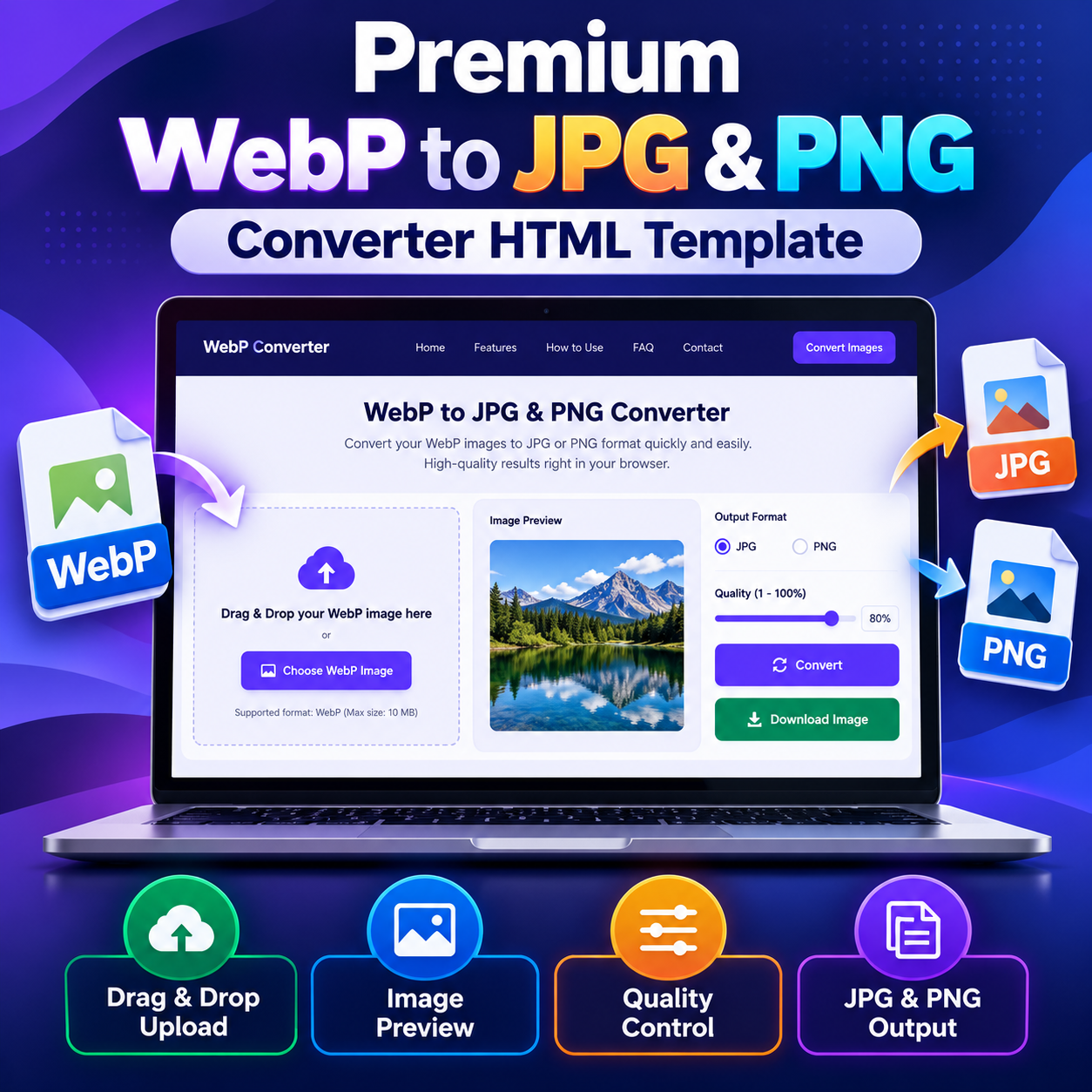
Premium WebP to JPG & PNG Converter HTML Template
Original price was: ₹999.00.₹99.00Current price is: ₹99.00.
Convert WebP images to JPG or PNG with this WebP to JPG & PNG Converter HTML Template. Includes drag-and-drop upload, image preview, adjustable quality, and one-click downloading.
Compatible Platforms: Blogger, WordPress, and web hosting platforms.
File Format: TXT (HTML, CSS & JavaScript Code)
Limited-time free.
Description
WebP to JPG & PNG Converter HTML Template is a browser-based image conversion tool designed to help website owners, content creators, developers, and everyday users convert WebP images into JPG or PNG formats. This responsive HTML Template combines a practical conversion interface with image preview, drag-and-drop uploading, adjustable JPG quality, and convenient file downloading. It uses standard HTML, CSS, and JavaScript to provide a straightforward image conversion experience that can be adapted for Blogger, WordPress, or a suitable web-hosting platform.
Product Overview
WebP is a widely used image format, but some applications, image editors, older tools, and workflows may require JPG or PNG files instead. This HTML Template provides a dedicated interface for converting supported WebP images into either of these formats. Users can select an image, preview it, choose an output format, adjust the available quality setting, and download the resulting file.
The template includes a complete page layout rather than just a conversion form. Its interface contains a navigation area, introductory section, conversion tool, feature information, usage instructions, frequently asked questions, contact information, and legal-information views. Advertisement placeholders are also included for site owners who want to configure their own advertising placements.
Key Features
- JPG and PNG conversion: Choose JPG or PNG as the output format for a supported WebP image.
- Drag-and-drop upload: Drop a WebP image into the upload area or select a file using the browse control.
- Image preview: Preview the selected image before starting the conversion process.
- Adjustable quality: Use the available 1–100% quality slider to control the encoding quality for supported output formats, particularly JPG.
- One-click downloading: Download the converted image through the provided interface.
- Responsive layout: The design adapts to different screen sizes, including phones, tablets, laptops, and desktop displays.
- Browser-based processing: The conversion workflow uses the HTML5 Canvas API and browser image-encoding capabilities.
- File-size restriction: The included tool accepts images up to 10 MB per file.
- Single-image workflow: Convert one image at a time and start another conversion when needed.
- Additional page sections: The template includes feature information, conversion steps, FAQs, notification messages, and configurable site details.
How the Converter Works
The conversion workflow is designed to be easy to follow. Users begin by choosing a WebP image from their device. The selected image appears in the preview area, where the user can review it before conversion. Next, the user selects JPG or PNG from the output-format control and adjusts the quality slider when appropriate. After clicking the conversion control, the browser processes the image and makes the converted result available for downloading.
- Select or drag and drop a supported WebP image.
- Review the image preview displayed by the tool.
- Choose JPG or PNG as the output format.
- Adjust the quality setting when required.
- Run the conversion and download the result.
Understanding JPG and PNG Output
JPG is commonly used for photographs and images where a smaller file size is desirable. JPG uses lossy compression, so the selected quality level can affect the balance between file size and visual detail. When a transparent WebP image is converted to JPG, transparent areas are rendered against a white background because JPG does not support transparency.
PNG is useful for graphics, interface elements, and images where retaining transparency is important. The browser encodes PNG output using its PNG image-encoding capability. The quality slider does not control PNG compression in the same manner as JPG quality. The resulting file size can vary depending on the original image and its content.
Browser-Based Processing and Dependencies
The conversion functionality is implemented using client-side JavaScript and the HTML5 Canvas API. The normal image-conversion workflow does not require a dedicated conversion API, database, or server-side image-processing application. The selected image is processed by the browser rather than being uploaded to a conversion server by the core conversion workflow.
The template does not provide a batch-conversion system, account management, or a server-side image library. Successful conversion depends on the browser’s supported image codecs, available memory, and device capabilities. A modern browser is recommended for the intended experience.
Customization Options
The HTML Template uses HTML for page structure, CSS for styling and responsive layout, and JavaScript for interface behavior and image processing. Website owners or developers can adapt the page colors, text, site identity, navigation, and layout to suit their project. The source also contains a centralized site-configuration section for details such as the displayed site name, domain, email, phone number, and address. Replace demonstration values with appropriate real information before publishing.
Advertisement placeholders are included in several page locations. These placeholders are positions for site-owner content and are not an advertising account or an automatically configured advertising integration. Review the page layout and advertising requirements before inserting third-party code.
Platform Compatibility and Deployment
This portable HTML Template can be adapted for standard web hosting, Blogger, and WordPress, subject to each platform’s editing, security, file-upload, and script restrictions. On standard hosting, the HTML file and any required assets can be uploaded to a suitable web directory when the hosting environment permits it.
For Blogger, the code may need to be adapted for a supported page, post, or embedding method. Pasting a complete standalone HTML document into every Blogger editor is not guaranteed to work unchanged. For WordPress, integration may involve an appropriate Custom HTML block, page template, or hosted HTML file. Script permissions, theme styles, navigation, and page structure may require adjustments. This product is a portable HTML Template, not a native Blogger XML theme or a WordPress plugin.
Important Limitations
- Only WebP input images are supported by the included upload workflow.
- The maximum supported file size is 10 MB per image.
- Only one image is processed at a time; batch conversion is not included.
- JPG output can lose image detail depending on the selected quality setting.
- JPG cannot preserve transparency, so transparent areas are rendered against white.
- Animated WebP files are not supported as animations; only the first frame is processed.
- PNG files can be larger than JPG files, depending on the image.
- Platform-specific installation and adaptation may be required.
Who Can Use This HTML Template?
This template may suit bloggers, website owners, web developers, content creators, educators, and publishers who want to provide a WebP-to-JPG-and-PNG conversion tool on a website. It can also serve as a starting point for developers who want to customize the interface or integrate the conversion workflow into a larger web project.
Frequently Asked Questions
Can this HTML Template convert WebP to both JPG and PNG?
Yes. The included output-format selector supports both JPG and PNG conversion from a supported WebP input image.
Does the conversion require an external API?
The included conversion workflow uses the browser’s HTML5 Canvas API and does not require a dedicated conversion API or database.
Are multiple images converted at the same time?
No. The included tool processes one image at a time. Batch conversion is not a supported feature.
What is the maximum image size?
The template sets a maximum input file size of 10 MB per image. Files exceeding this limit are rejected by the tool.
Can I use this template on Blogger or WordPress?
It can be adapted for Blogger, WordPress, or standard web hosting, but the exact integration method depends on platform restrictions and the adjustments required for the target website.
Does PNG conversion use the quality slider in the same way as JPG?
No. The quality setting is relevant to supported lossy encoding, particularly JPG. PNG encoding does not use the slider in the same manner.
Does the template include a native WordPress plugin or Blogger XML theme?
No. It is a portable HTML, CSS, and JavaScript template. It may require adaptation for use within a specific platform.
Product Summary
WebP to JPG & PNG Converter HTML Template provides a structured, responsive interface for browser-based image conversion. With two output formats, image preview, drag-and-drop upload, quality adjustment, downloading, and supporting content sections, it offers a practical starting point for adding a WebP conversion utility to a suitable website. Review the documented limitations and adapt the template to the chosen publishing platform before deployment.
Related products
-
Sale!

Premium Invoice Generator HTML Template
Original price was: ₹999.00.₹99.00Current price is: ₹99.00. Buy Now -
Sale!
Premium Strong Password Generator HTML Template
Original price was: ₹999.00.₹99.00Current price is: ₹99.00. Buy Now -
Sale!
Premium Dhanteras Wishes HTML Template 2026
Original price was: ₹999.00.₹99.00Current price is: ₹99.00. Buy Now -
Sale!
Premium Chhath Puja Wishes HTML Template 2026
Original price was: ₹999.00.₹99.00Current price is: ₹99.00. Buy Now