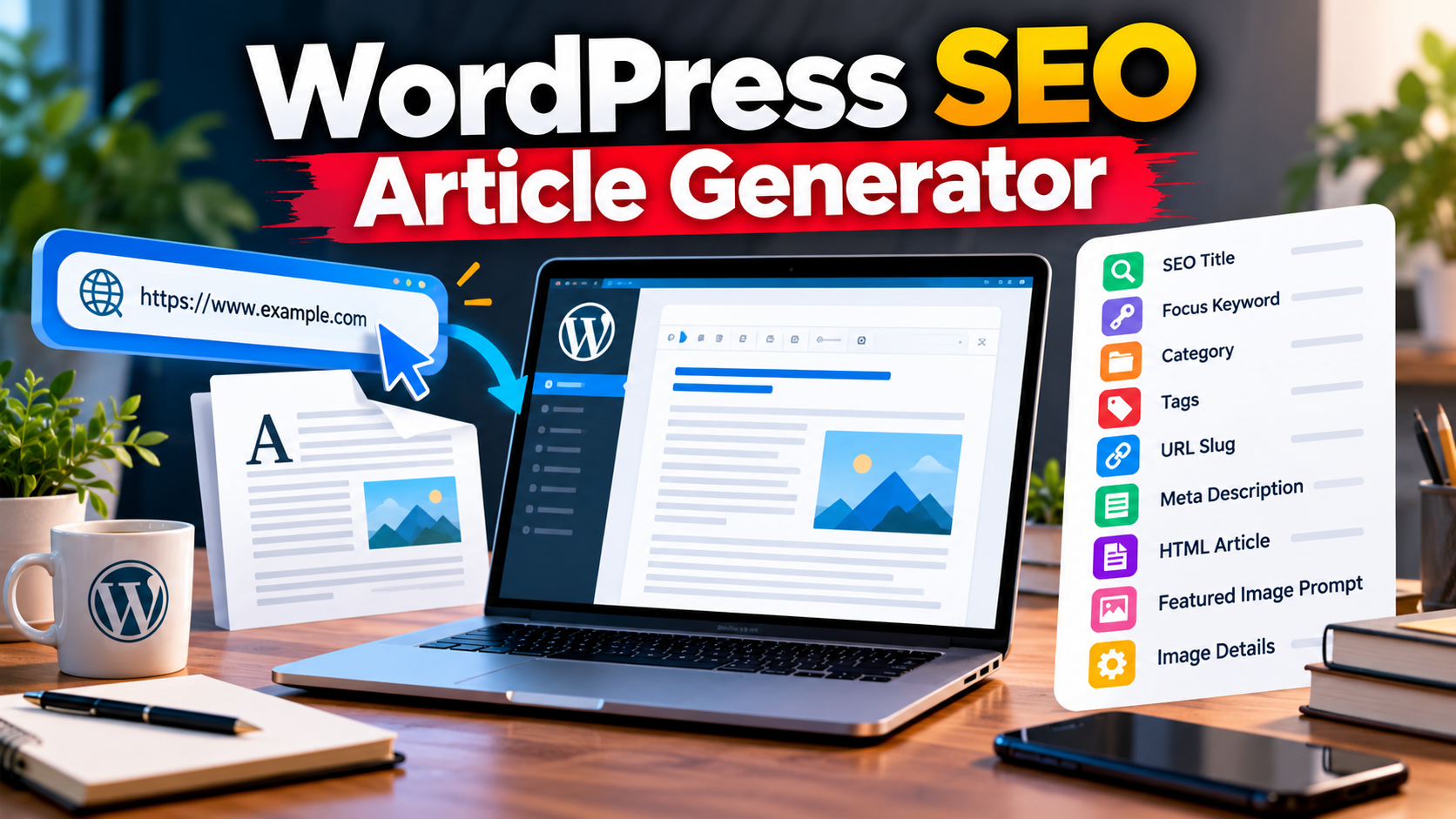
Creating a complete WordPress article requires more than writing paragraphs. You also need a post title, focus keyword, category, tags, URL slug, meta description, featured image details, and properly formatted article content. The Universal One-URL WordPress SEO Article Generator Prompt is designed to organize these tasks around a single source URL.
Download the TXT prompt, copy it into an AI assistant, and replace the example URL with the webpage you want to research. The assistant is instructed to identify the actual topic and prepare the requested output according to the prompt’s rules.
What Is The Universal One-URL Article Generator Prompt?
This is a reusable AI prompt for preparing a WordPress SEO article pack from one URL. It is designed to adapt to different legitimate topics, including software, tools, products, services, technology, education, business, and other subjects.
Instead of entering a topic separately, you provide a source URL. The AI assistant is then instructed to research the page, understand its subject and search intent, and generate the required publishing fields and article content.
What Does The Prompt Generate?
The prompt requests exactly 11 output blocks in the following order:
- Post Title: An SEO-friendly title of no more than 60 characters.
- Focus Keyword: One primary keyword relevant to the source topic.
- Category: One relevant WordPress category.
- Tags: 10–15 relevant tags separated by commas.
- URL Slug: A short, lowercase English slug using hyphens.
- Meta Description: A relevant description of no more than 160 characters.
- Complete WordPress Article: The entire article in one HTML code block, including an FAQ section.
- Featured Image Prompt: Instructions for a topic-relevant 1280 × 720 image with a 16:9 aspect ratio.
- Image Title: A descriptive title for the featured image.
- Image ALT Text: Natural and descriptive alternative text.
- Image Description: A short explanation of what the featured image represents.
Key Features Of The Prompt
- Single URL Input: The topic is identified from the supplied URL.
- Flexible Topic Adaptation: The article structure changes according to the actual subject.
- WordPress-Ready HTML: The main article is requested in one HTML code block.
- FAQ Included: The prompt requests approximately 7–10 relevant questions and answers inside the article.
- SEO Publishing Fields: Essential post metadata is included in the specified output order.
- Featured Image Instructions: The image prompt includes size, composition, readability, and quality requirements.
- English Content: The output is intended for a worldwide English-speaking audience.
- Accuracy Rules: The prompt instructs the AI not to invent unsupported facts, prices, features, guarantees, or URLs.
How To Use The Prompt
- Download the TXT file using the download button on this page.
- Open the file in a text editor and copy the complete prompt.
- Paste it into an AI assistant that can follow detailed instructions.
- Locate the section labelled “Source URL — Paste Your URL Only Here.”
- Replace the example URL with your chosen webpage URL.
- Submit the prompt and let the AI assistant research the topic and prepare the 11 output blocks.
- Review the generated information, verify important claims, and check the HTML before publishing.
Important Things To Know
The quality of the result depends on the source page, the information available, and the AI assistant’s research capabilities. For current information, use browsing-enabled AI when available and verify important details against reliable sources.
No prompt can guarantee Google rankings, traffic, earnings, or indexing. Review the article for accuracy, usefulness, originality, and readability before publishing it on your website.
Frequently Asked Questions
Can I Use Different URLs?
Yes. The prompt is designed to adapt to different legitimate topics. Replace the example URL with the URL you want the AI assistant to research.
Do I Need To Enter A Topic Separately?
No. The prompt instructs the AI assistant to identify the topic and search intent from the source URL.
How Many Output Blocks Are Included?
The prompt requests exactly 11 blocks, covering article metadata, the complete HTML article, and featured image information.
Does The Article Include FAQs?
Yes. It requests approximately 7–10 relevant FAQs inside the main article, without separate FAQ JSON or FAQ schema.
Is The Article Formatted For WordPress?
The main article is requested in one HTML code block that can be reviewed and pasted into a suitable WordPress code-editing workflow.
Can This Prompt Guarantee SEO Results?
No. It provides a structured content workflow, but rankings and traffic depend on many factors beyond a prompt.
Can I Customize The Prompt?
Yes. You can edit the instructions, although changes may affect the output structure and formatting.
Download The Universal One-URL Prompt
Download the TXT file to access the complete reusable prompt. Replace the example URL, submit it to your AI assistant, and review the generated article pack before publishing.
Note: Replace the placeholder in the download link with the actual URL of the TXT file uploaded to your WordPress Media Library before publishing this post.
Conclusion
The Universal One-URL WordPress SEO Article Generator Prompt provides a structured way to prepare a WordPress article pack from a single source URL. It requests 11 publishing blocks, including SEO fields, one HTML article with FAQs, and featured image details. Download the prompt, enter your URL, verify the generated information, and improve the content where necessary before publishing.