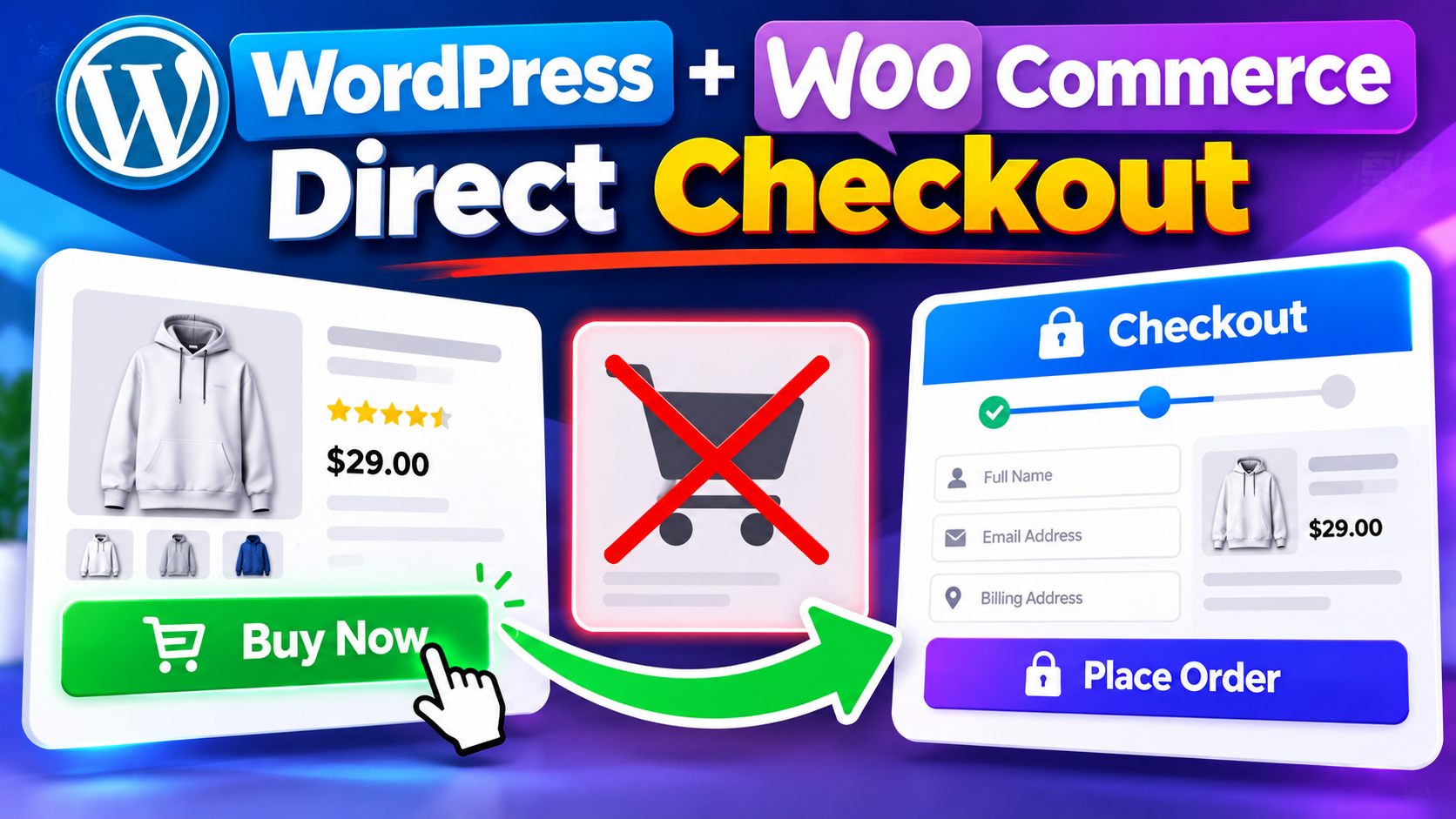
WooCommerce is one of the most popular eCommerce solutions for WordPress websites. By default, customers normally move from a product page to the shopping cart and then to the checkout page. However, some stores may prefer a simpler purchasing experience where customers can click a Buy Now button and go directly to checkout.
In this guide, we will look at a custom WooCommerce Direct Checkout solution for WordPress WooCommerce websites. The setup replaces the standard Add to Cart experience with a Buy Now workflow and sends the selected product directly to the WooCommerce checkout page.
What Is WooCommerce Direct Checkout?
WooCommerce Direct Checkout is a purchasing workflow that allows customers to move from a product directly to the checkout page without manually going through the traditional cart page.
The script used in this tutorial creates a Buy Now system for WordPress WooCommerce. When a customer clicks Buy Now, the existing cart is cleared, the selected product is added, and the customer is redirected to the WooCommerce checkout page.
How WordPress WooCommerce Direct Checkout Works
The provided script changes several parts of the normal WooCommerce shopping flow. It hides selected cart-related interface elements, removes the default Add to Cart form from individual product pages, adds Buy Now buttons, and processes the Buy Now request before redirecting the customer to checkout.
Buy Now Instead Of Add To Cart
On the single product page, the standard WooCommerce Add to Cart action is removed and replaced with a custom Buy Now button.
This provides customers with a more direct purchasing option instead of requiring them to add the product to the cart and then continue to checkout.
Buy Now On Product Listing Pages
The script also modifies the WooCommerce product loop button. For a purchasable product, the normal Add to Cart link is replaced with a Buy Now button.
This allows the direct checkout workflow to be used on WooCommerce product listing areas such as shop and category pages where the standard product button is displayed.
What Happens When A Customer Clicks Buy Now?
- The customer clicks the Buy Now button.
- The selected product ID is sent with the request.
- The WordPress nonce is checked.
- The existing WooCommerce cart is emptied.
- The selected product is added to the cart with a quantity of one.
- The customer is redirected directly to the WooCommerce checkout page.
This creates a simplified purchasing flow while continuing to use the existing WooCommerce checkout and payment system.
Why Does The Script Clear The Cart?
The script intentionally clears the existing cart before adding the selected product. This behavior is designed for a Buy Now workflow where the customer is expected to purchase the selected product directly.
For example, if a customer already has another product in the cart and then clicks Buy Now for a different product, the existing cart contents are removed and the newly selected product becomes the product being purchased.
Because of this behavior, store owners should test the workflow carefully if their customers commonly purchase multiple products in a single order.
How The Security Nonce Works
The Buy Now URL includes a WordPress nonce generated for the selected product.
When the Buy Now request is processed, the nonce is verified before the product is added to the cart. If the request does not contain a valid product ID and matching nonce, the Buy Now operation is not processed.
This provides request validation for the custom Buy Now URL used by the script.
What Happens To The WooCommerce Cart Page?
The provided code checks whether the customer is accessing the WooCommerce cart page. If the cart page is requested, the customer is redirected to the checkout URL.
This keeps the cart page outside the intended purchasing flow and makes the checkout process more direct.
Handling Cart Actions
The script also handles specific cart-related requests such as item removal and undo actions. These requests are redirected to the WooCommerce checkout page as part of the customized cart-bypass workflow.
Is This Useful For Digital And Downloadable Products?
A direct checkout workflow can be useful for WordPress WooCommerce stores that sell individual digital or downloadable products.
For example, websites selling plugins, templates, PDF guides, software, digital resources, or other downloadable products may prefer a simple Buy Now experience when customers normally purchase one product at a time.
However, the right checkout flow depends on the store. Websites that rely heavily on multi-product orders should carefully consider the cart-clearing behavior before using this setup.
Download The WooCommerce Direct Checkout Script
The complete PHP script used in this tutorial is provided as a TXT file. The code is intentionally not embedded directly into this article, making the page easier to read while allowing users to download the complete script separately.
Download WooCommerce Direct Checkout Script
After downloading the TXT file, review the code and test it carefully on your WordPress WooCommerce website before using it on a live store.
Important Things To Check Before Using The Script
- Make sure WordPress and WooCommerce are installed and active.
- Test the script with your actual products before using it on a live website.
- Check that your payment gateway works correctly with the WooCommerce checkout.
- Test the complete purchase process on desktop and mobile devices.
- Remember that Buy Now clears the existing cart before adding the selected product.
- Check your downloadable product settings if you sell digital products.
- Keep a backup before making changes to a production website.
Frequently Asked Questions
What Is WooCommerce Direct Checkout?
WooCommerce Direct Checkout is a purchasing workflow that sends customers from a product directly to the WooCommerce checkout page instead of requiring them to manually visit the cart.
Does This Script Add A Buy Now Button?
Yes. The script adds a custom Buy Now button for purchasable products on supported WooCommerce product listing areas and individual product pages.
Does It Remove The Default Add To Cart Button?
On single product pages, the standard WooCommerce Add to Cart action is removed and replaced with the custom Buy Now button.
Does Buy Now Clear The Existing Cart?
Yes. The supplied script empties the existing WooCommerce cart before adding the selected product.
Does Buy Now Go Directly To Checkout?
Yes. After the selected product is added to the cart, the customer is redirected directly to the WooCommerce checkout page.
Does The Script Use A Security Nonce?
Yes. A product-specific WordPress nonce is generated for the Buy Now request and verified before the request is processed.
Can This Be Used For Downloadable Products?
It can be useful for stores selling individual digital or downloadable products, provided the store’s WooCommerce product and checkout configuration works correctly with the setup.
Will The Normal Cart Page Still Open?
The supplied code redirects requests for the WooCommerce cart page to the checkout page as part of its direct checkout workflow.
Should I Test The Script Before Using It On A Live Website?
Yes. Test your products, checkout fields, payment gateway, downloadable file delivery, theme, and mobile experience before using the code on a production website.
Conclusion
The WordPress WooCommerce Direct Checkout script creates a simplified Buy Now purchasing experience by bypassing the traditional cart step. It hides selected cart interface elements, replaces the standard Add to Cart experience on single product pages, adds Buy Now buttons, validates the request with a nonce, clears the existing cart, adds the selected product, and redirects the customer to checkout.
This approach can be useful for WooCommerce websites that focus on individual purchases, especially digital and downloadable products. Before using it on a live website, test the complete purchasing process with your own WordPress, WooCommerce, product, and payment configuration.