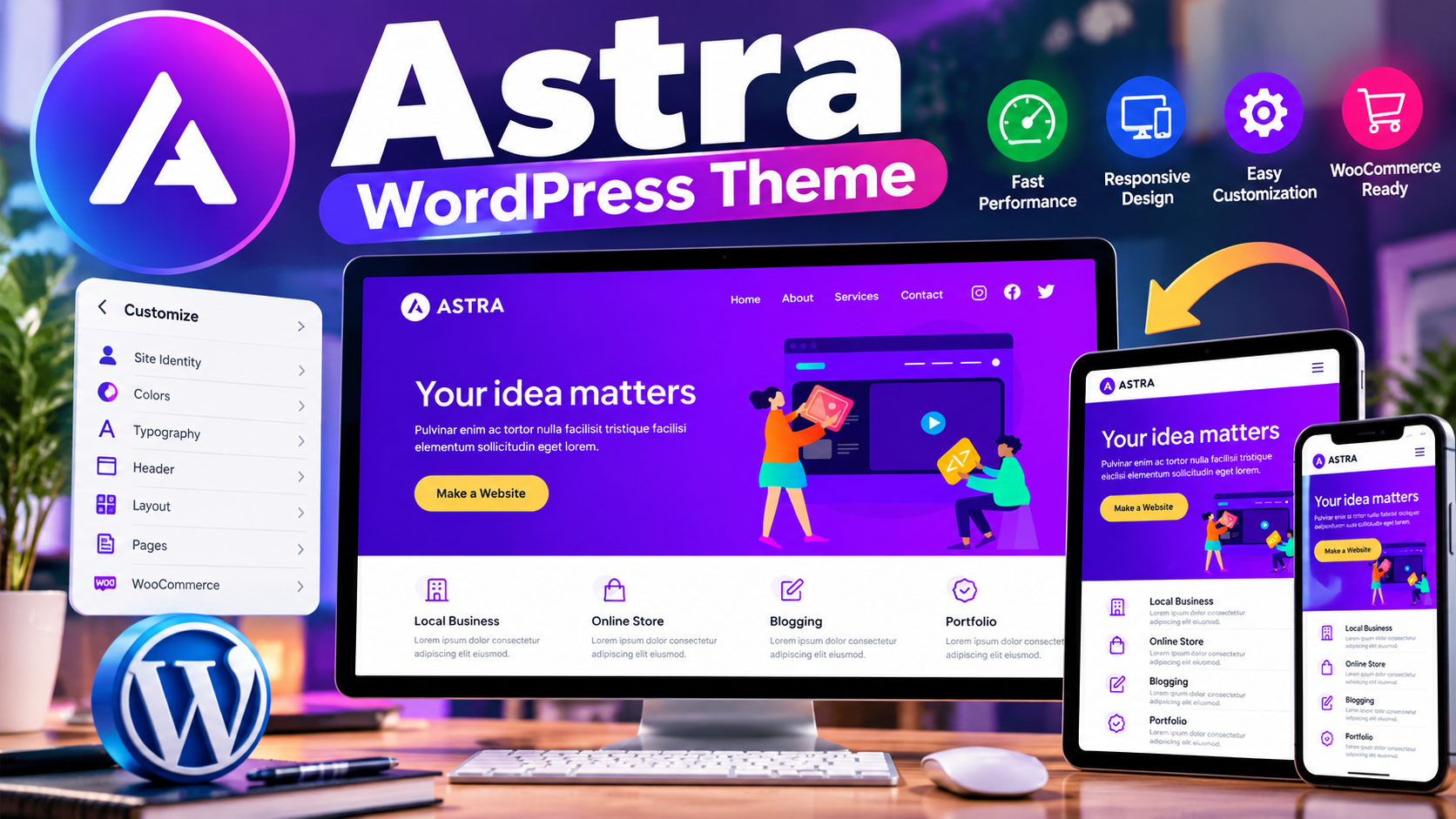
Choosing the right WordPress theme can have a major impact on how a website looks, performs, and adapts to different types of content. The Astra WordPress Theme is one of the well-known options available through the official WordPress theme directory, offering a combination of customization features, performance-focused design, page-builder compatibility, and support for different website types.
Astra is developed by Brainstorm Force and is available as a free theme with additional commercial upgrades and support options. According to its official WordPress.org listing, Astra has more than 1 million active installations and supports WordPress 5.3 or later. The listing also describes the theme as highly customizable and suitable for blogs, business websites, eCommerce stores, membership websites, and other projects.
If you want to examine the theme directly, you can visit the Astra page on WordPress.org.
What Is The Astra WordPress Theme?
Astra is a WordPress theme designed to provide a flexible foundation for building different types of websites. Instead of limiting users to one particular website style, the theme provides customization options and compatibility with several popular WordPress tools.
The theme can be used for blogs, business websites, online stores, portfolio websites, membership projects, and other WordPress websites. Its feature set includes custom colors, custom logos, custom menus, featured images, full-width layouts, sidebar options, post formats, theme options, and translation support.
This flexibility makes Astra suitable for both users who want to build a simple website and users who want more control over the design and layout.
Key Features Of Astra
Astra includes several features intended to make WordPress website development more flexible. Some of the important features listed by WordPress.org include:
- Custom colors
- Custom logo support
- Custom menus
- Featured images
- Full-width templates
- Left and right sidebar layouts
- One-column and two-column layouts
- Post formats
- Theme customization options
- RTL language support
- Translation readiness
- eCommerce support
- Threaded comments
The exact options available to you can depend on the version of Astra and any additional products or extensions you use with it.
Astra And Website Performance
Performance is an important consideration when selecting a WordPress theme. Astra’s official WordPress.org description emphasizes fast performance, clean code, and a mobile-first design approach.
A lightweight theme can provide a useful foundation for a fast website, but the theme itself is only one part of overall website performance. Hosting quality, plugins, images, caching, scripts, fonts, database performance, and the website’s content can also influence loading times.
For that reason, installing Astra alone should not be treated as a guarantee of a particular PageSpeed score or loading speed. Website performance should always be tested on the complete website after configuration.
Astra And SEO
Astra is also positioned as an SEO-friendly WordPress theme. Its official listing mentions mobile-first design, clean code, and built-in schema markup.
These characteristics can provide a useful technical foundation for SEO. However, a WordPress theme does not automatically make a website rank in search engines. Search visibility also depends on content quality, search intent, site structure, internal linking, technical SEO, backlinks, user experience, and many other factors.
Therefore, Astra can be considered a theme that supports SEO-friendly website development, but it should not be viewed as a standalone ranking solution.
Astra For Blog Websites
Astra can be a practical choice for bloggers because it provides features commonly needed by content-focused websites. These include featured images, post formats, sidebar layouts, custom menus, custom colors, and flexible page layouts.
A blog owner can use these features to create a layout that separates articles, categories, navigation, and other important website elements clearly.
For a professional blog, the most important approach is to keep the design simple and make the content easy to read. Astra’s customization options can help create such a layout without requiring every design element to be built from scratch.
Astra For Business Websites
Astra is also designed for business websites. A company website may require sections such as services, about information, contact details, landing pages, testimonials, and product or service descriptions.
The theme’s customization options and compatibility with page builders can make it easier to create different page layouts according to the requirements of a business.
Businesses should still select fonts, colors, spacing, navigation, and page structure carefully so the final website communicates information clearly rather than becoming unnecessarily complicated.
Astra For WooCommerce Stores
Astra supports eCommerce websites and is compatible with WooCommerce. The official WordPress.org listing also mentions store-friendly features and templates.
This makes Astra relevant for users who want to create a WordPress online store. WooCommerce can handle important store functionality such as products, carts, orders, and checkout, while the theme provides the visual foundation for the website.
For an online store, website owners should pay particular attention to product presentation, mobile usability, checkout simplicity, performance, payment configuration, and customer trust.
Astra And Page Builders
Astra is designed to work with several popular page-building tools. Its official listing specifically mentions compatibility with tools such as Spectra, Elementor, and Beaver Builder.
This can be useful when the default WordPress editor or theme customization options are not enough for a particular page design.
However, using multiple design tools can also add complexity to a website. It is generally better to choose the tools that are actually needed instead of installing several page builders without a clear purpose.
Is Astra Mobile Friendly?
Astra’s official description highlights a mobile-first design approach. This is important because visitors can access websites from smartphones, tablets, laptops, and desktop computers.
Even with a responsive theme, website owners should test their actual pages on different screen sizes. Images, tables, buttons, menus, forms, product layouts, and advertisements should all be checked for mobile usability.
A responsive theme provides a foundation, but the final website still needs proper configuration and testing.
How To Install Astra In WordPress
Astra can be installed through the WordPress theme system.
- Log in to your WordPress dashboard.
- Open Appearance.
- Select Themes.
- Choose the option to add a new theme.
- Search for Astra.
- Select the Astra theme.
- Install the theme.
- Activate it after installation.
After activation, review the available customization settings and configure the website according to your requirements.
How To Customize Astra
After installing Astra, you can begin customizing the appearance of your WordPress website. Common areas to configure include the logo, colors, typography, menus, page layouts, sidebar settings, header elements, footer elements, and content presentation.
It is useful to make these changes gradually. Start with the basic branding and navigation, then work on page layouts and additional design elements.
A clean design is often more useful than adding a large number of visual effects. Visitors should be able to find the information they need without confusion.
Advantages Of Astra
Astra has several characteristics that can make it attractive for WordPress users:
- Flexible Design: The theme provides multiple customization and layout options.
- Multiple Website Types: It can be used for blogs, business websites, eCommerce projects, membership websites, and more.
- Page Builder Compatibility: Astra works with several popular page-building tools.
- eCommerce Support: It is compatible with WooCommerce and provides store-oriented features.
- Mobile-Focused Approach: The theme is designed with mobile-first principles.
- SEO-Friendly Foundation: The official listing highlights clean code and schema markup.
- Large User Base: The WordPress.org listing reports more than 1 million active installations.
Things To Consider Before Using Astra
Astra is not automatically the perfect choice for every WordPress website. Before selecting it, consider the type of website you are building and the level of customization you actually need.
Users should also remember that Astra is a free theme with additional paid commercial upgrades and support options. If you require features available only through premium products, check the current offering and pricing before making a purchase.
It is also important to keep WordPress, themes, plugins, and other website components updated. Before major updates, maintaining a recent backup is a sensible precaution.
Astra Ratings And Active Installations
At the time of research, the official WordPress.org listing showed Astra with more than 1 million active installations and a 4.9 out of 5 star rating. The listing also showed version 4.14.0 with a September 24, 2026 update date.
These figures can change over time, so they should be treated as current listing information rather than permanent statistics.
Frequently Asked Questions
Is Astra A Free WordPress Theme?
Yes. Astra is available as a free WordPress theme. The official listing also identifies additional paid commercial upgrades and support options.
Is Astra Good For Blogging?
Yes. Astra provides blog-related features such as featured images, post formats, menus, sidebar layouts, and customization options that can be useful for blogging websites.
Is Astra Compatible With WooCommerce?
Yes. Astra is compatible with WooCommerce and includes features and templates designed for eCommerce websites.
Can Astra Work With Elementor?
Yes. The official Astra listing specifically mentions compatibility with Elementor as well as other page-building tools.
Is Astra SEO Friendly?
Astra is designed with several SEO-friendly characteristics, including clean code, mobile-first design, and schema markup. However, the theme alone cannot guarantee search rankings.
Is Astra Mobile Friendly?
Astra follows a mobile-first design approach. Website owners should still test their completed website on different devices and screen sizes.
Can Astra Be Used For Business Websites?
Yes. Astra is designed for multiple website types, including business websites. Its customization options can be used to create service pages, company pages, landing pages, and other business content.
Can Beginners Use Astra?
Yes. Beginners can use Astra as a starting point for a WordPress website. The amount of customization required will depend on the type of website and the desired design.
Does Astra Guarantee Fast Loading Speed?
No theme can guarantee a specific loading speed for every website. Astra emphasizes performance, but hosting, plugins, images, scripts, caching, and website configuration also affect performance.
Where Can I Find Astra?
Astra is available through the official WordPress.org theme directory. You can visit the Astra page on WordPress.org to view the current listing and available information.
Conclusion
Astra is a flexible WordPress theme designed for a wide range of websites, including blogs, business websites, eCommerce stores, and membership projects. Its customization options, page-builder compatibility, WooCommerce support, mobile-first approach, and performance-focused design make it a practical option for many WordPress users.
However, choosing a theme should always depend on the actual requirements of your website. Astra can provide a strong foundation, but website performance, SEO, security, usability, and search visibility still depend on the complete WordPress setup and the quality of the content.