
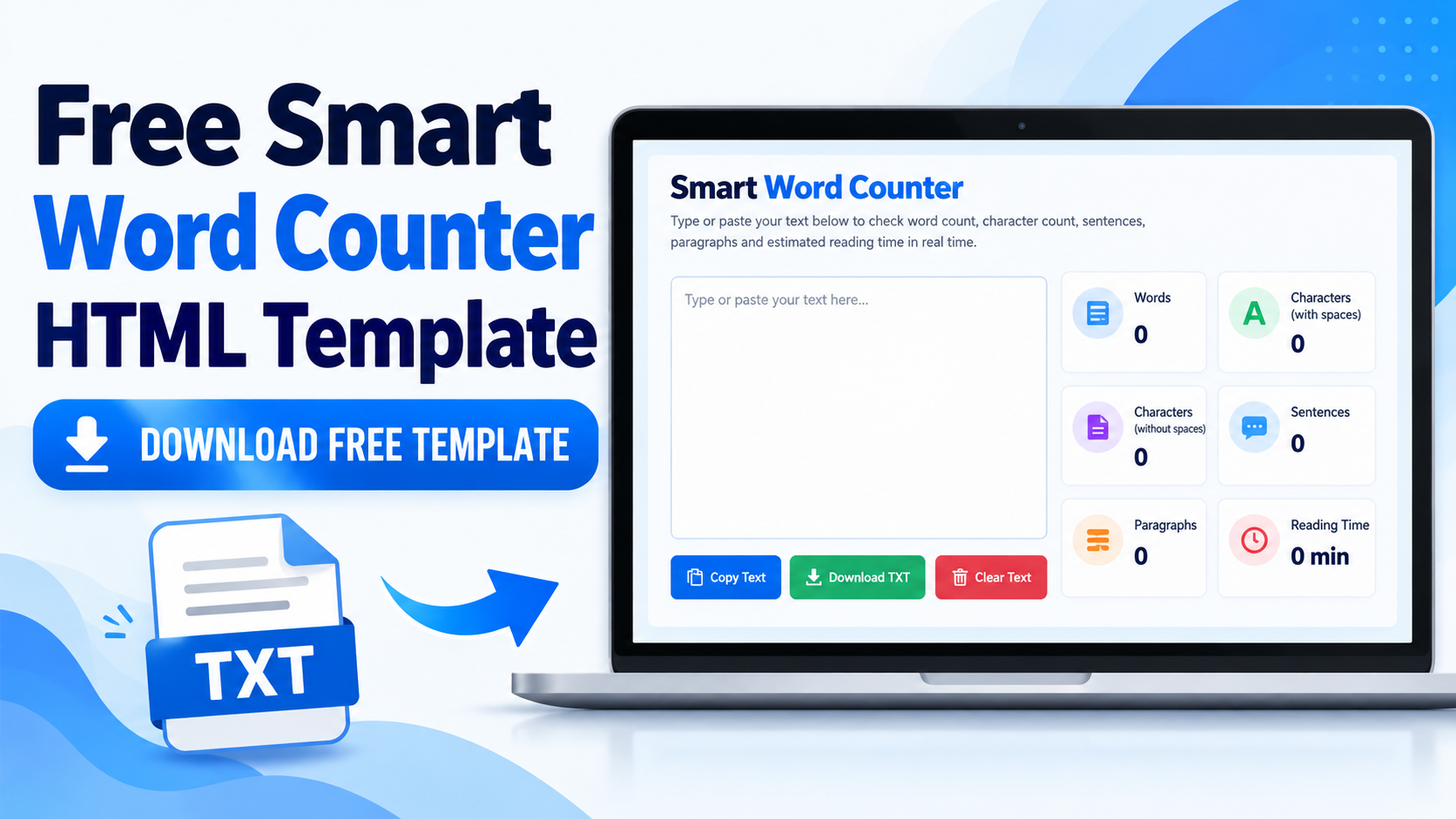
Want to create a simple word counter tool for your website? The Smart Word Counter HTML template provides a browser-based text utility built with HTML, CSS, and JavaScript. It helps users analyze text, check word and character counts, estimate reading time, and download their text as a TXT file.
This template is designed as a starting point for a single-page online tool. You can review the available features, download the TXT source file using the link below, and adapt the code to your website requirements.
Download Free Smart Word Counter HTML Template
Click the link below to open the downloadable TXT file in a new browser tab. Replace the placeholder URL with the actual URL of your hosted text file before publishing this article.
Download Word Counter HTML Template
What Is the Smart Word Counter HTML Template?
The Smart Word Counter is a text-analysis tool that calculates useful statistics from text entered into its editor. It uses HTML for the page structure, CSS for the design, and JavaScript for the counting and text-handling features.
The template is a standalone HTML tool, not a complete Blogger XML theme or a complete WordPress theme. You may need to adapt it to your platform before installing it on a live website.
Features of the Smart Word Counter
1. Live Word Count
The tool counts the words in the text entered by the user. This is useful when preparing blog posts, assignments, articles, descriptions, and other written content.
2. Character Count With Spaces
The tool displays the number of characters, including spaces. This can help users check text length when working with content that has character limits.
3. Character Count Without Whitespace
A separate statistic counts characters while excluding whitespace. This provides an alternative measurement of text length.
4. Sentence Count
The template includes a sentence counter to help users review the structure of their writing. Results depend on the punctuation and sentence-detection logic used in the JavaScript.
5. Paragraph Count
The paragraph counter helps users see how their text is divided into separate sections. Formatting and blank lines may affect how paragraphs are detected.
6. Estimated Reading Time
The tool estimates reading time using a default reading speed of 200 words per minute. Actual reading time varies according to the reader and the complexity of the text.
7. Copy Text
The copy feature helps users transfer their text to another editor or application without manually selecting and copying everything.
8. Clear Text
The clear option removes the current text after a confirmation step, making it easier to begin a new text-counting session.
9. Download Text as a TXT File
Users can download the text entered in the tool as a plain-text file named smart-word-counter-text.txt. This feature is separate from the TXT template download link in this article.
10. Responsive Design
The template includes responsive styling intended to adapt the interface to different screen sizes. Test it on desktop, tablet, and mobile devices after integration, as website themes can affect its layout.
How Does the Word Counter Work?
The tool processes text in the user’s browser using JavaScript. As the user enters or edits text, the script calculates the available statistics and updates the interface.
The core counting features do not require a dedicated API, database, or backend service. Text counting takes place locally in the browser, so the tool does not need to upload text to a server for its basic calculations.
How to Use the Smart Word Counter
- Open the page where the Smart Word Counter has been installed.
- Type or paste your text into the editor.
- Review the word and character counts.
- Check the sentence count, paragraph count, and estimated reading time.
- Use the copy option to copy your text when needed.
- Use the text download option to save your entered text as a TXT file.
- Clear the editor when you want to analyze another piece of text.
Can You Customize the HTML Template?
Yes. The HTML, CSS, and JavaScript can be adapted to suit your website and intended audience. Keep a backup of the original source file before making changes.
- Colors and fonts: Adjust the CSS to match your website’s design.
- Layout: Change spacing and responsive rules where necessary.
- Content: Customize headings, descriptions, About information, and contact details.
- Header and footer: Review the available configuration options before enabling these sections.
- Reading speed: Adjust the default reading-speed value in the JavaScript if required.
After making changes, test all counting features and buttons to confirm that the tool continues to work correctly.
How to Use the Template on Blogger
The source code can be a starting point for creating a single-page tool on Blogger. However, a standalone HTML file is not a complete Blogger XML theme, and the normal Blogger post editor may not preserve every part of a full HTML document or its scripts.
Adapt the code to your Blogger setup, test the JavaScript, and check the design on mobile devices. Confirm that the word counter, copy button, clear option, and text download feature work correctly before publishing the page.
How to Use the Template on WordPress
The template can also be adapted for a WordPress tool page. The appropriate integration method depends on your theme, editor, and how your WordPress setup handles custom JavaScript.
Test the implementation for conflicts with existing styles or plugins. Make sure all controls work as expected and the page remains usable on different screen sizes.
Benefits of a Browser-Based Word Counter
- Provides quick access to common text statistics.
- Performs core counting operations in the browser.
- Does not require a separate counting API or database.
- Includes copy, clear, and text-download controls.
- Can be customized using HTML, CSS, and JavaScript.
- Provides a starting point for a single-purpose website tool.
Things to Check Before Publishing
Test the tool with short and long text, multiple paragraphs, punctuation, and extra spaces. Sentence and paragraph counts depend on the supplied JavaScript logic and may differ from the results of other text editors.
Check mobile responsiveness, keyboard accessibility, color contrast, and the behavior of each button. The source code may also contain advertising placeholders, but placeholders do not display live advertisements on their own. Any advertising or third-party scripts added later should be tested separately.
Frequently Asked Questions
1. Is the Smart Word Counter HTML template free to download?
The article includes a placeholder for the TXT template download. Replace it with the actual hosted file URL so visitors can access the file.
2. Which technologies does the template use?
The template uses HTML, CSS, and JavaScript for its page structure, styling, and core functionality.
3. Does the word counter require an API?
No API is required for the core counting functionality included in the supplied source code.
4. Is text uploaded to a server for counting?
The core counting operations run locally in the browser and do not require text to be uploaded to a server. If external scripts or services are added, review their behavior separately.
5. Can I use the template on Blogger?
Yes, it can be adapted for a Blogger page. Additional changes may be necessary because it is not a complete Blogger XML theme.
6. Can I use the template on WordPress?
Yes, it can be adapted for WordPress. The integration method depends on the theme, editor, and script-handling setup.
7. Can users download their text as a TXT file?
Yes. The tool includes a feature for downloading entered text as smart-word-counter-text.txt.
8. How is reading time estimated?
The default reading-time estimate uses 200 words per minute. It is an estimate and may not reflect every user’s actual reading speed.
9. Does the template support mobile devices?
The source code includes responsive styling. Test it on different devices and check for layout conflicts after integration.
10. Can I modify the design?
Yes. You can customize the HTML, CSS, and JavaScript, but you should test the result carefully after every significant change.
Conclusion
The Smart Word Counter HTML template is a useful starting point for building a browser-based text utility. It includes word counting, character statistics, sentence and paragraph counts, estimated reading time, copy and clear controls, and TXT text export.
Use the download link near the beginning of this article after replacing the placeholder with your actual TXT file URL. Adapt the template to your website, test its features, and verify the mobile layout before publishing.